 70c3c8db13
* ref: Move the jaas util out of specs/.
* ref: Extract a more generic joinMuc utility.
* ref: Rename joinMuc to joinJaasMuc.
* ref: Move tileView.spec.ts out of 2way, use joinMuc.
* ref: Enforce that "name" is p1, p2, p3, p4 using types.
* fix: Fix mute test filename.
* ref: Split the chat test into jaas and iframe tests.
* test: Add webhook verification to jaas visitor tests.
* ref: Remove the iframe/visitors test (ported to jaas).
* ref: Move the transcriptions test to jaas.
* ref: Make getEndpointId work from outside the iframe.
* ref: Remove TestProperties.useIFrameApi. Use the flag in IParticipantOptions instead.
* ref: Do not set a special tenant when the iFrame API is used, leave it to tests to determine.
* ref: Remove the jaas-specific tests from iframe/participantsPresnce (will be re-added under jaas/ later).
* ref: Move the dial in/out tests to jaas/.
* Add tests for jaas join/leave webhooks (port back from iframe/participantsPresence).
* config: Fallback to IFRAME_TENANT and JWT_* for jaas configuration.
* ref: Simplify boolean expression.
* ref: Remove the skipFirstModerator option (unused).
* ref: Do not override token if specified.
* fix: Do not generate token for alone/invite test.
* ref: Extract more dial-in utilities.
* test: Verify Invite UI in jaas.
* Do not generate token for dial in (case covered in jaas/).
* ref: Remove preferGenerateToken (unused).
* ref: Move mute utils in their own helper.
* fix: Fix setting the jaas enabled flag.
* Do not run alone/invite for jaas (temp fix).
* fix: Switch back to meeting window.
* Do not run alone/dialInAudio on jaas.
* Disable the SIP jibri test (broken).

Jitsi Meet
Jitsi Meet is a set of Open Source projects which empower users to use and deploy video conferencing platforms with state-of-the-art video quality and features.
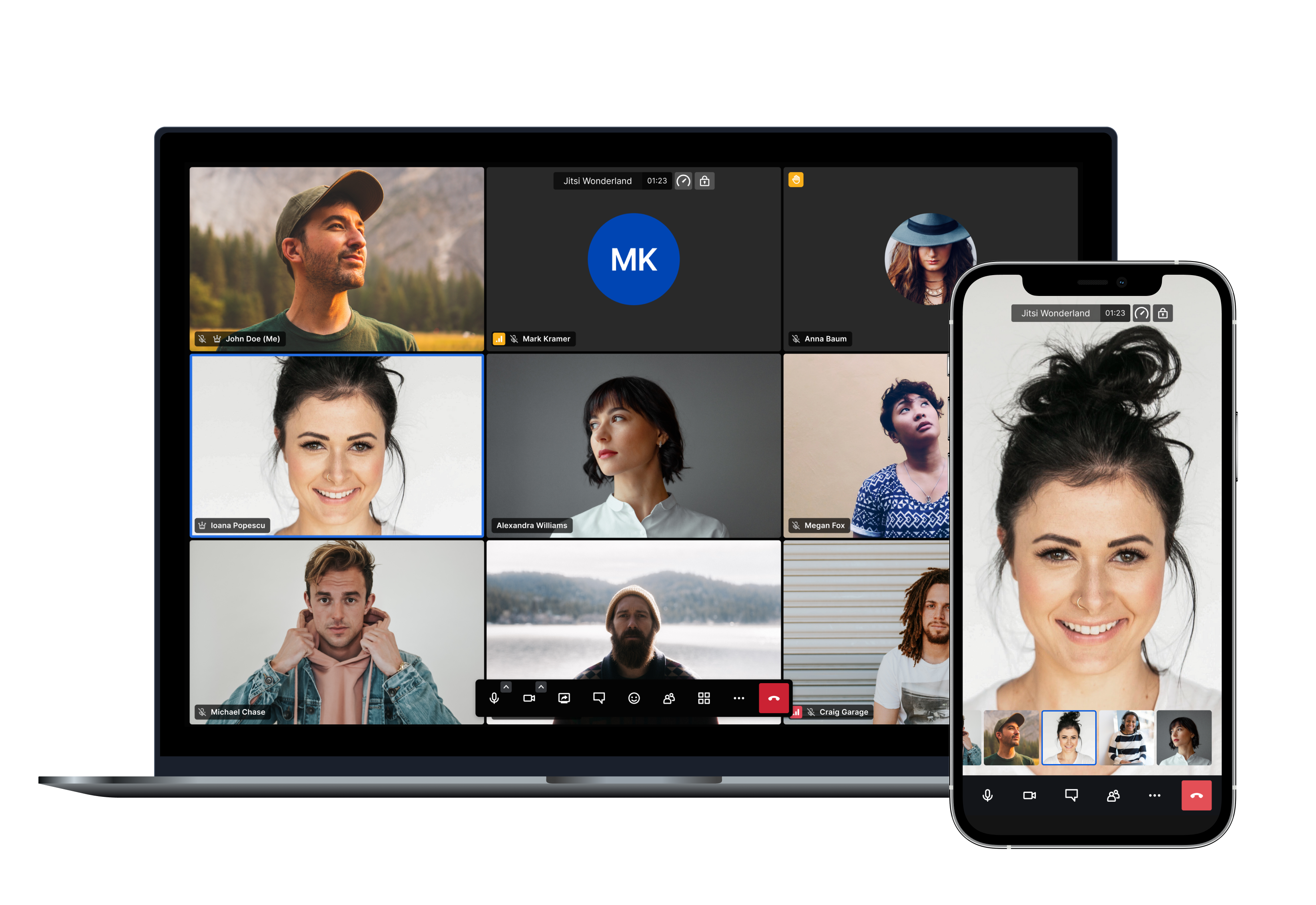
Amongst others here are the main features Jitsi Meet offers:
- Support for all current browsers
- Mobile applications
- Web and native SDKs for integration
- HD audio and video
- Content sharing
- Raise hand and reactions
- Chat with private conversations
- Polls
- Virtual backgrounds
And many more!
Using Jitsi Meet
Using Jitsi Meet is straightforward, as it's browser based. Head over to meet.jit.si and give it a try. It's scalable and free to use. All you need is a Google, Facebook or GitHub account in order to start a meeting. All browsers are supported!
Using mobile? No problem, you can either use your mobile web browser or our fully-featured mobile apps:
| Android | Android (F-Droid) | iOS |
|---|---|---|
 |
 |
 |
If you are feeling adventurous and want to get an early scoop of the features as they are being developed you can also sign up for our open beta testing here:
Running your own instance
If you'd like to run your own Jitsi Meet installation head over to the handbook to get started.
We provide Debian packages and a comprehensive Docker setup to make deployments as simple as possible. Advanced users also have the possibility of building all the components from source.
You can check the latest releases here.
Jitsi as a Service
If you like the branding capabilities of running your own instance but you'd like to avoid dealing with the complexity of monitoring, scaling and updates, JaaS might be for you.
8x8 Jitsi as a Service (JaaS) is an enterprise-ready video meeting platform that allows developers, organizations and businesses to easily build and deploy video solutions. With Jitsi as a Service we now give you all the power of Jitsi running on our global platform so you can focus on building secure and branded video experiences.
Documentation
All the Jitsi Meet documentation is available in the handbook.
Security
For a comprehensive description of all Jitsi Meet's security aspects, please check this link.
For a detailed description of Jitsi Meet's End-to-End Encryption (E2EE) implementation, please check this link.
For information on reporting security vulnerabilities in Jitsi Meet, see SECURITY.md.
Contributing
If you are looking to contribute to Jitsi Meet, first of all, thank you! Please see our guidelines for contributing.
Built with ❤️ by the Jitsi team at 8x8 and our community.