 2d8909911e
Addresses multiple issues when enabling/disabling PiP dynamically:

1. External API: Replace dead config-overwrite event handler with
   interception in executeCommand. This properly manages the intersection
   observer and PiP state when pip config changes via overwriteConfig.

2. PiPVideoElement: Fix ref access pattern - access videoRef.current
   inside useEffects instead of capturing at render time. The captured
   value was null on first render, causing blur/focus listeners to never
   be set up when component mounted into a stable conference.

3. useCanvasAvatar: Return streamRef object instead of refs.current.stream
   so consumers can access .current inside their effects. The stream is
   created in an effect and wasn't available at render time.

4. Add on-mount focus check with loadedmetadata wait to handle PiP enable
   while app is in background, ensuring video source is ready before
   attempting to enter PiP mode.

Jitsi Meet
Jitsi Meet is a set of Open Source projects which empower users to use and deploy video conferencing platforms with state-of-the-art video quality and features.
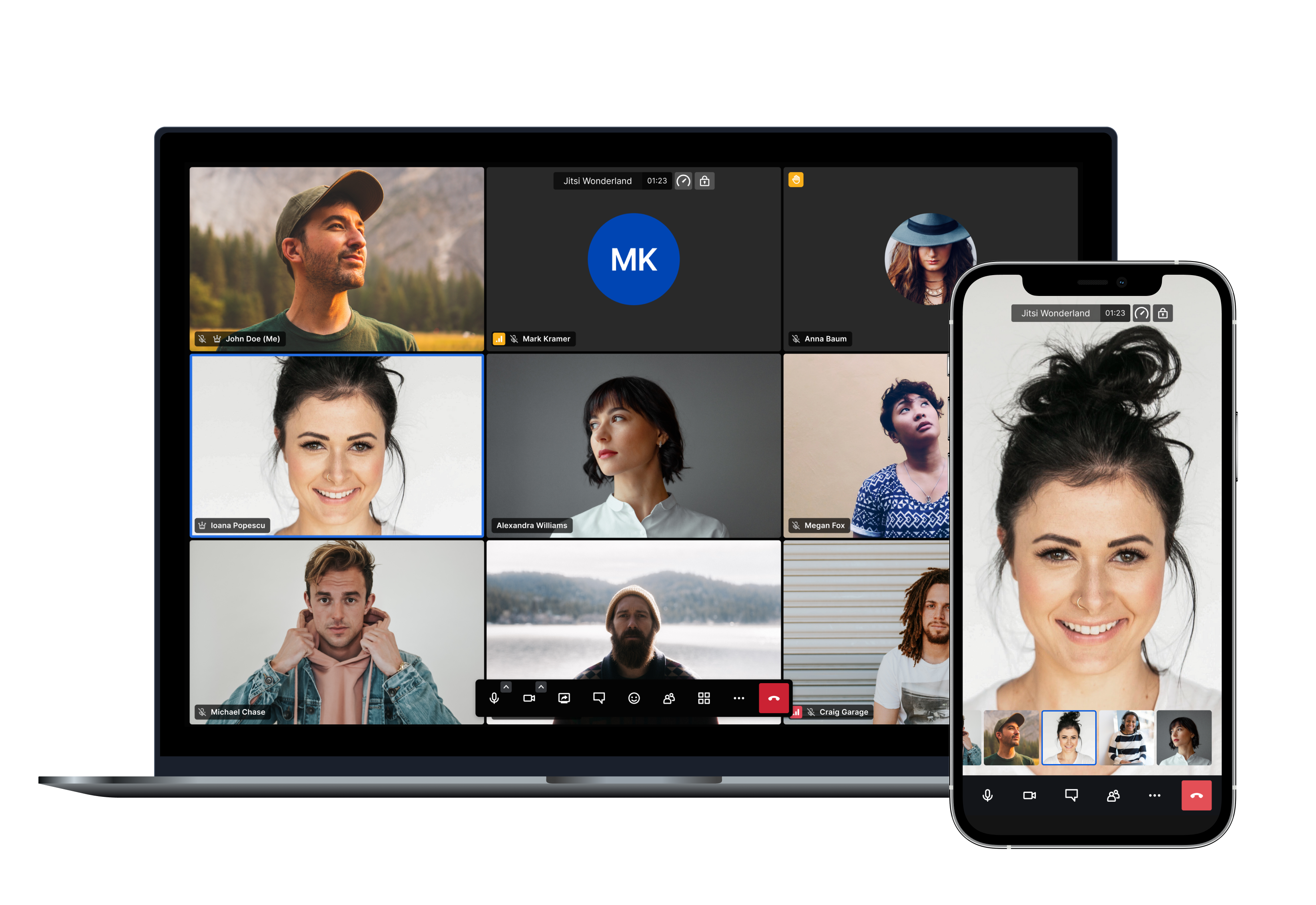
Amongst others here are the main features Jitsi Meet offers:
- Support for all current browsers
- Mobile applications
- Web and native SDKs for integration
- HD audio and video
- Content sharing
- Raise hand and reactions
- Chat with private conversations
- Polls
- Virtual backgrounds
And many more!
Using Jitsi Meet
Using Jitsi Meet is straightforward, as it's browser based. Head over to meet.jit.si and give it a try. It's scalable and free to use. All you need is a Google, Facebook or GitHub account in order to start a meeting. All browsers are supported!
Using mobile? No problem, you can either use your mobile web browser or our fully-featured mobile apps:
| Android | Android (F-Droid) | iOS |
|---|---|---|
 |
 |
 |
If you are feeling adventurous and want to get an early scoop of the features as they are being developed you can also sign up for our open beta testing here:
Running your own instance
If you'd like to run your own Jitsi Meet installation head over to the handbook to get started.
We provide Debian packages and a comprehensive Docker setup to make deployments as simple as possible. Advanced users also have the possibility of building all the components from source.
You can check the latest releases here.
Jitsi as a Service
If you like the branding capabilities of running your own instance but you'd like to avoid dealing with the complexity of monitoring, scaling and updates, JaaS might be for you.
8x8 Jitsi as a Service (JaaS) is an enterprise-ready video meeting platform that allows developers, organizations and businesses to easily build and deploy video solutions. With Jitsi as a Service we now give you all the power of Jitsi running on our global platform so you can focus on building secure and branded video experiences.
Documentation
All the Jitsi Meet documentation is available in the handbook.
Security
For a comprehensive description of all Jitsi Meet's security aspects, please check this link.
For a detailed description of Jitsi Meet's End-to-End Encryption (E2EE) implementation, please check this link.
For information on reporting security vulnerabilities in Jitsi Meet, see SECURITY.md.
Contributing
If you are looking to contribute to Jitsi Meet, first of all, thank you! Please see our guidelines for contributing.
Built with ❤️ by the Jitsi team at 8x8 and our community.