mirror of
https://github.com/yakhyo/uniface.git
synced 2026-05-15 12:57:55 +00:00
 6ce397b811
* feat: Add MODNet portrait matting

* docs: Update docs and example of portrait matting

* fix: Fix linting issue
3.5 KiB
3.5 KiB
Portrait Matting
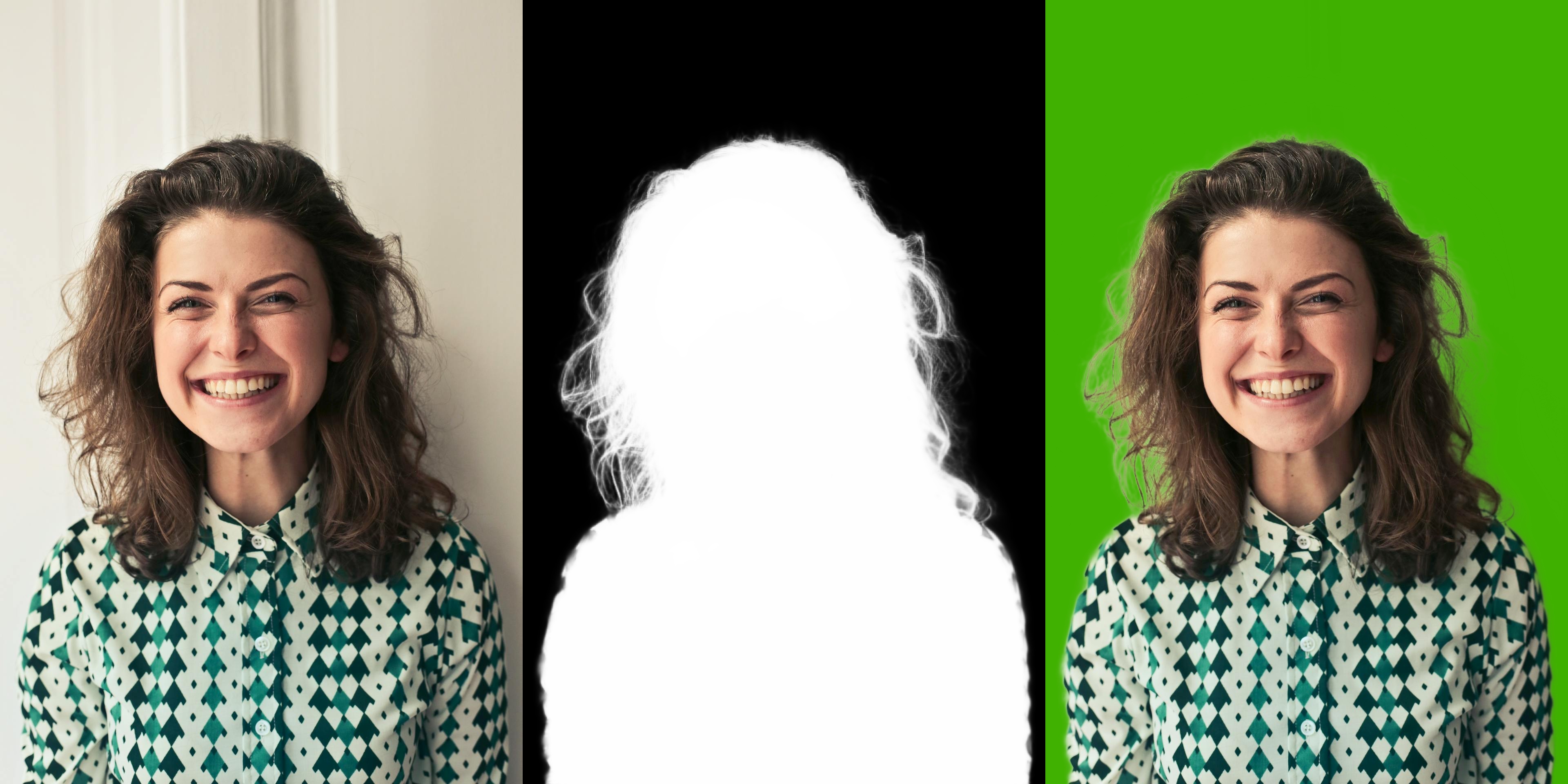
Portrait matting produces a soft alpha matte separating the foreground (person) from the background — no trimap needed.
Available Models
| Model | Variant | Size | Use Case |
|---|---|---|---|
| MODNet Photographic :material-check-circle: | PHOTOGRAPHIC | 25 MB | High-quality portrait photos |
| MODNet Webcam | WEBCAM | 25 MB | Real-time webcam feeds |
Basic Usage
import cv2
from uniface.matting import MODNet

matting = MODNet()

image = cv2.imread("photo.jpg")
matte = matting.predict(image)

print(f"Matte shape: {matte.shape}")   # (H, W)
print(f"Matte dtype: {matte.dtype}")   # float32
print(f"Matte range: [{matte.min():.2f}, {matte.max():.2f}]")  # [0, 1]
Model Variants
from uniface.matting import MODNet
from uniface.constants import MODNetWeights

# Photographic (default) — best for photos
matting = MODNet()

# Webcam — optimized for real-time
matting = MODNet(model_name=MODNetWeights.WEBCAM)

# Custom input size
matting = MODNet(input_size=256)
| Parameter | Default | Description |
|---|---|---|
model_name |
PHOTOGRAPHIC |
Model variant to load |
input_size |
512 |
Target shorter-side size for preprocessing |
providers |
None |
ONNX Runtime execution providers |
Applications
Transparent Background (RGBA)
import cv2
import numpy as np

matting = MODNet()
image = cv2.imread("photo.jpg")
matte = matting.predict(image)

rgba = cv2.cvtColor(image, cv2.COLOR_BGR2BGRA)
rgba[:, :, 3] = (matte * 255).astype(np.uint8)
cv2.imwrite("transparent.png", rgba)
Green Screen
import numpy as np

matte_3ch = matte[:, :, np.newaxis]
bg = np.full_like(image, (0, 177, 64), dtype=np.uint8)
green = (image * matte_3ch + bg * (1 - matte_3ch)).astype(np.uint8)
cv2.imwrite("green_screen.jpg", green)
Custom Background
import cv2
import numpy as np

background = cv2.imread("beach.jpg")
background = cv2.resize(background, (image.shape[1], image.shape[0]))

matte_3ch = matte[:, :, np.newaxis]
result = (image * matte_3ch + background * (1 - matte_3ch)).astype(np.uint8)
cv2.imwrite("custom_bg.jpg", result)
Webcam Matting
import cv2
import numpy as np
from uniface.matting import MODNet

matting = MODNet(model_name="modnet_webcam")
cap = cv2.VideoCapture(0)

while True:
    ret, frame = cap.read()
    if not ret:
        break

    matte = matting.predict(frame)
    matte_3ch = matte[:, :, np.newaxis]
    bg = np.full_like(frame, (0, 177, 64), dtype=np.uint8)
    result = (frame * matte_3ch + bg * (1 - matte_3ch)).astype(np.uint8)

    cv2.imshow("Matting", np.hstack([frame, result]))
    if cv2.waitKey(1) & 0xFF == ord("q"):
        break

cap.release()
cv2.destroyAllWindows()
Factory Function
from uniface.matting import create_matting_model
from uniface.constants import MODNetWeights

# Default (Photographic)
matting = create_matting_model()

# With enum
matting = create_matting_model(MODNetWeights.WEBCAM)

# With string
matting = create_matting_model("modnet_webcam")